Per-article Open Graph cards in Astro with Satori — CJK fonts and X's title overlay
Generating a 1200x630 Open Graph card per article and locale at build time in Astro with Satori and resvg, with Japanese and Chinese fonts kept legible.
On this page
Introduction
I saw a Qiita article shared on X, and its preview card had Qiita’s logo and the article’s title drawn into the picture. Links to this blog showed only a cover image, which looked plain beside it.
Covers here come from a shared registry keyed by topic, so every Astro article unfurled as the same black Astro logo. When I built that registry I decided the cover could serve as the Open Graph image directly, and wrote that I had budgeted for Satori and didn’t need it.
Every article now gets its own 1200×630 card in each of its three languages, drawn at build time by Satori and resvg: the title, the site’s seal, and the topic cover kept as a small tile. A shared link now says which article it is, and the card is redrawn on the next build whenever the title or cover changes.
What other sites put in og:image
og:image is the Open Graph meta tag naming the picture a crawler shows when a link is shared. Sites whose posts mostly have no image of their own generate a card with the title on it, and sites where every post has a cover use that cover. I asked Claude Code how other sites decide.
These sites generate the card, each in its own way.
GitHub built a service for this because most people never uploaded a custom image for their repository. It fills an HTML template with the repository’s name, description, owner avatar and counts, and screenshots it with Puppeteer.
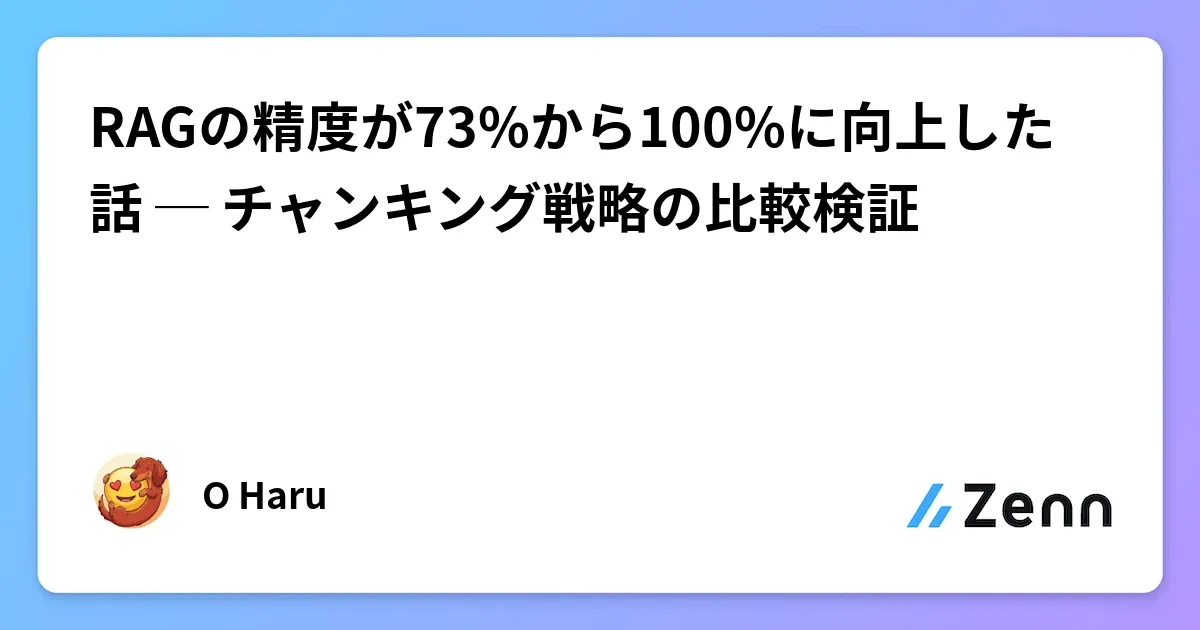
Zenn’s card shows the title, the author’s avatar and name, and the Zenn logo. Its og:image is a Cloudinary URL whose parameters lay the title over a fixed background as a text layer.
Qiita’s card puts its logo above the title and the author’s avatar and handle below it. Its og:image is an imgix URL that composites a background, the avatar and the title text the same way.
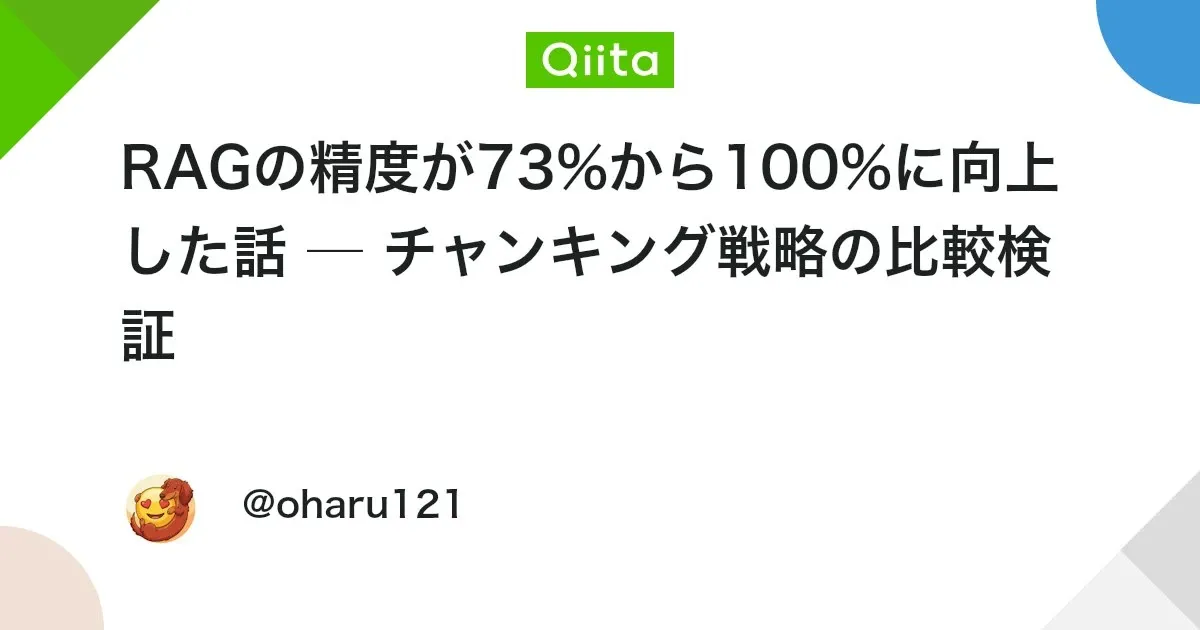
Zenn and Qiita hand the drawing to a third-party image service, Cloudinary and imgix respectively. Such a service composes an image on request from the parameters in its URL and serves the result from its own CDN.
On note, for example, where every post has a cover, the image an author uploads for a post becomes its Open Graph image unchanged.
Why this blog shares one cover per topic
This blog’s posts have no art of their own, yet it used the cover as the Open Graph image the way note does.
I never designed an image per article. Every article on a topic shares one cover, partly so the article list shows each article’s topic at a glance, and partly because a different cover style on every post would look cluttered.
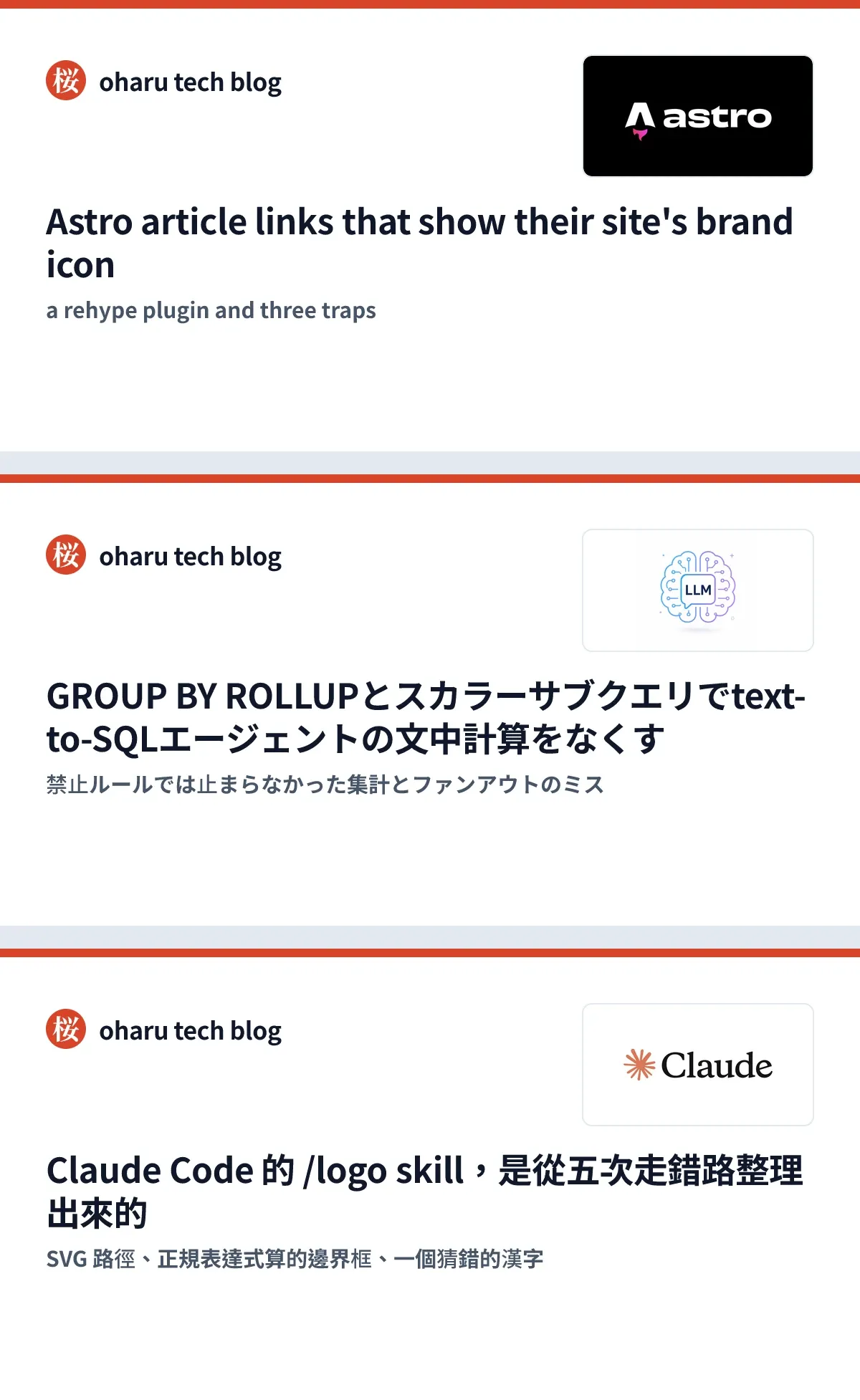
Shared on social media, though, that cover says nothing about which of my articles the link is. Here is the same pnpm article unfurled in Slack, before and after:


Slack prints og:title above the image, so on Slack the title now appears twice, which I think is acceptable.
The card: title, seal, and the topic image as a tile
The card keeps the cover as a small tile in the top-right corner. Every article already has a cover, so I put the title and the cover tile on the same card.
Each cover is a 1200×630 landscape logo card. The left side already carries the blog’s own seal and name, so I shrank the whole cover to 320×168 and put it on the right as a topic badge.
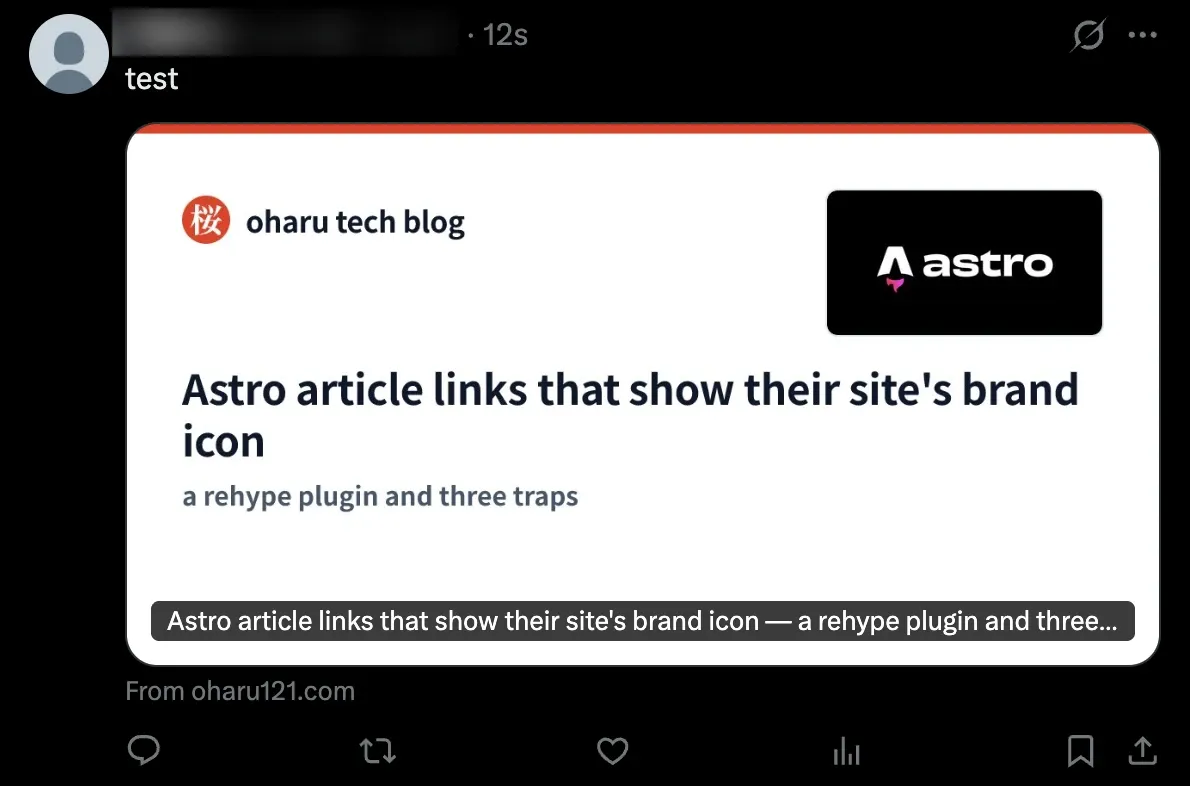
The rest of the layout follows from where X puts its own text. X prints og:title across the bottom of a large link card, the dark strip in the X screenshot at the top of this article.
So nothing on the card may end below 504px, the top of the bottom fifth, and the title takes the space between the tile and that line.
Titles on this blog mostly follow the pattern Main — subtitle. The card splits at the dash: the main title sets large and bold, from 80px down to 48px, and the subtitle sets at 30px in a muted grey. A 12px vermilion bar across the top matches the seal in the blog’s logo.
One prerendered endpoint per locale
Each card is written during pnpm build by an Astro endpoint, a .png.ts route. Astro calls its GET once and saves the returned PNG as a static file, which is what X and other sites fetch when they ask for the card.
The card route and the article page take their list of articles from the same function, getArticlePaths, so every published article gets exactly one card and a draft gets neither.
Each locale gets a one-line wrapper:
import type { APIContext } from "astro";import { ogCardPaths, ogCardResponse } from "@/lib/og-card";
export const getStaticPaths = () => ogCardPaths("ja");export const GET = (context: APIContext) => ogCardResponse("ja", context);
The card is drawn by one module, src/lib/og-card.ts, in two steps:
- Satori lays it out. Satori is an open-source library from Vercel that turns a layout described in JSX and CSS into SVG. No React is needed: the layout is written directly as plain
{ type, props }objects and handed to Satori. - resvg turns it into a PNG.
@resvg/resvg-jsrasterises Satori’s SVG into a PNG, because X accepts JPG, PNG, WEBP and GIF forog:imagebut not SVG.
const tree = el("div", { width: 1200, height: 630, display: "flex", flexDirection: "column", padding: 64 }, [ el("div", { display: "flex", justifyContent: "space-between" }, [ sealAndSiteName, { type: "img", props: { src: tileDataUri, width: 320, height: 168 } }, ]), el("div", { fontSize: size, fontWeight: 700, lineClamp: maxLines }, title), el("div", { fontSize: 30, color: "#475569", lineClamp: 2 }, subtitle),]);const svg = await satori(tree, { width: 1200, height: 630, fonts });const png = new Resvg(svg).render().asPng();Satori, resvg and the fonts are devDependencies, used only at build time, so none of them is bundled into the serverless function the site deploys beside its static files. Each card took about 25ms in the build log.
For each card, og-card.ts does these steps in order:
- Split the title at
—into a main title and a subtitle. - Pick the title size from its length and the height left.
- Glue Japanese and Chinese words together with
Intl.Segmenter, so no word breaks in the middle. - Load only the font subsets the card’s text needs, each under its own name.
- Shrink the cover into a tile with
sharp, and build the{ type, props }layout with the title and seal. - Hand the layout to Satori for an SVG, then to resvg for a PNG.
async function renderOgCard(entry: BlogEntry, locale: Locale): Promise<Buffer> { const { title, thumbnail } = entry.data; // 1. Split "Main — subtitle" const [rawMain, ...rest] = title.split(/\s+—\s+/); const rawSub = rest.length ? rest.join(" — ") : undefined; // 2. Pick the title size const { size, maxLines } = fitTitle(rawMain, rawSub, locale); // 3. Glue CJK words const main = glue(rawMain, locale); const sub = rawSub && glue(rawSub, locale); // 4. Load only the subsets the text needs const fonts = [...fontsFor(locale, 700, main + brand + "…" + WJ) /* … */]; // 5. Build the layout, cover tile included const tree = el("div", { /* … */ }, [/* seal, await thumbnailTile(thumbnail), main, sub */]); // 6. Lay out to SVG, then rasterise to PNG const svg = await satori(tree, { width: W, height: H, fonts }); return new Resvg(svg, { fitTo: { mode: "width", value: W } }).render().asPng();}Steps 3 and 4 are the two traps below; step 2 is the last section.
The cover tile is read straight from src/assets/thumbnails/<key>.png or .webp, using the registry key such as astro-generic. sharp resizes it to 320×168 and converts it to PNG before it goes to Satori.
Finally, the article layout points og:image at the card instead of at a resized cover:
const ogAsset = await getImage({ src: cover.src, width: 1200, height: 630, format: "png" });const ogImage = new URL(ogAsset.src, Astro.site).href;const ogImage = new URL(localeUrl(locale, `/og/${slug}.png`), Astro.site).href;Two traps between Satori and a trilingual title
Both showed up on real titles from this blog, and each one renders without an error.
Trap 1: Satori draws tofu on the Open Graph card
Satori loads one font file per family name, so a font split across many files has to be registered under many names. Satori can only draw characters it has been given a font for, and no system font fills in at build time. A character with no matching font is drawn as an empty box, known as tofu.
I took the fonts from Fontsource packages, @fontsource/noto-sans-jp and @fontsource/noto-sans-tc. Fontsource publishes Google Fonts and other open-source fonts as npm packages, so no font binaries enter the repository and the build fetches nothing. Noto Sans TC is there because Noto Sans JP lacks Chinese forms such as 查 and 夠, which Japanese writes differently or not at all.
Fontsource splits each weight into subsets by unicode-range, the range of characters each file covers: about 125 files for Noto Sans JP Bold, each shipped as both WOFF and WOFF2. Satori reads TTF, OTF and WOFF but not WOFF2.
The WOFF files come to about 5.2MB per weight, too much to load for every card, so og-card.ts reads each weight’s CSS and passes Satori only the subsets whose range covers the card’s text.
Registering those subsets under the family name they share, Noto Sans JP, rendered this:
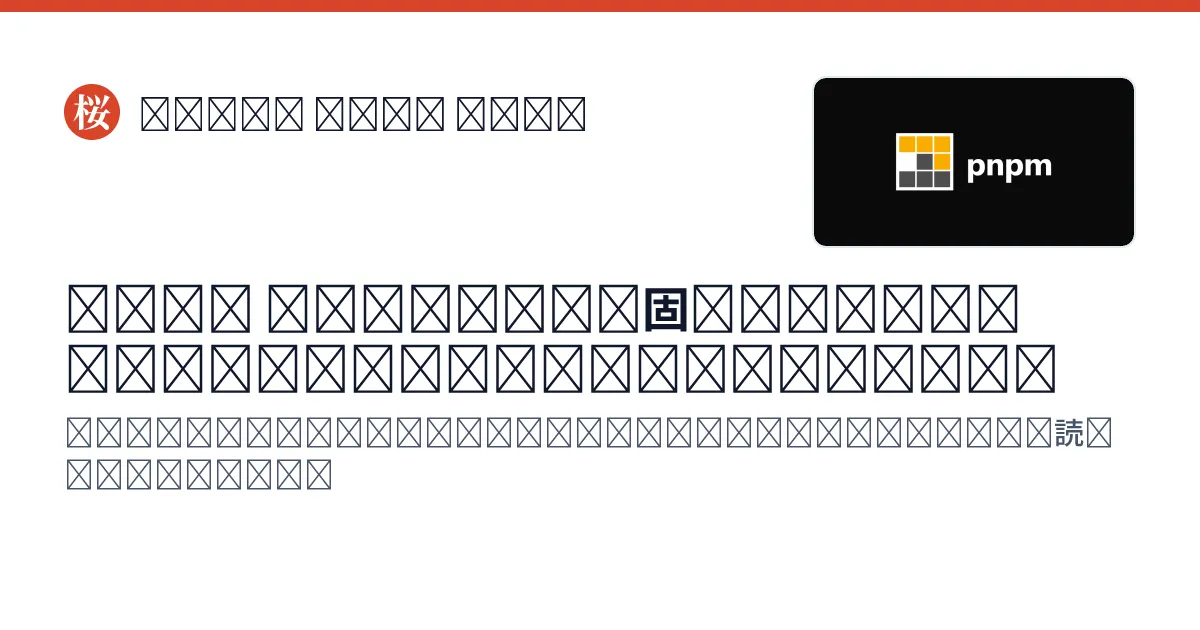
Giving each subset its own name and listing every name in fontFamily fixes it, because Satori does fall back glyph by glyph across a family stack:
return faces(pkg, family, weight) .filter(({ ranges }) => cps.some((cp) => ranges.some(([a, b]) => cp >= a && cp <= b))) .map(({ family, file }) => { let data = fileCache.get(file); if (!data) fileCache.set(file, (data = readFileSync(file))); return { name: `${family} ${file}`, weight, style: "normal", data }; });Finally, the card’s outermost element gets every one of those names, quoted and comma-separated, as its fontFamily:
const stack = [...new Set(fonts.map((f) => `"${f.name}"`))].join(", ");// → "Noto Sans JP …/noto-sans-jp-0-700-normal.woff", "Noto Sans JP …/noto-sans-jp-latin-700-normal.woff", …
const tree = el("div", { /* … */ fontFamily: stack }, [/* … */]);
Trap 2: Satori breaks Japanese and Chinese words anywhere
Satori treats every gap between two CJK characters as a line-break opportunity, because it has no dictionary of Japanese or Chinese words. Qiita’s card splitting 検証 across two lines, shown earlier, is the same problem. The zh-TW title below wraps inside 五次, “five times”, leaving 五 at the end of one line and 次 at the start of the next:

Intl.Segmenter, built into browsers and Node.js, does carry dictionaries for both languages when given granularity: "word". og-card.ts segments the title, and inside each CJK word it puts U+2060 WORD JOINER between the characters, an invisible character that forbids a break at its position:
const CJK = /[\u3040-\u30ff\u3400-\u9fff\uf900-\ufaff]/;const WJ = "\u2060";
function glue(text: string, locale: Locale): string {  const seg = new Intl.Segmenter(FONT_PKG[locale].segmenter, { granularity: "word" });  return [...seg.segment(text)]    .map(({ segment }) => (CJK.test(segment) ? [...segment].join(WJ) : segment))    .join("");}
The same title now breaks at 是從 / 五次走錯路, between words. The joiner is a character too, so it has to be in the text the font subsets are chosen for; otherwise no font covers it and it renders as a box.
Sizing the title by the height left above the safe line
The title size is chosen from the height left above the safe line at 504px. A bigger font wraps onto more lines, so what has to fit is the total height, lines times size.
The title block starts at 272px, under the 12px bar, the 64px padding, the 168px tile and a 28px gap, so it has 232px to the safe line. The subtitle’s share comes off first, then og-card.ts takes the largest of 80, 72, 64, 56 and 48px whose estimated height fits what is left:
function fitTitle(main: string, sub: string | undefined, locale: Locale) { const subH = sub ? SUB_GAP + 2 * SUB_SIZE * SUB_LH : 0; const budget = SAFE_BOTTOM - TEXT_TOP - subH; const widest = longestWord(main, locale); const size = [80, 72, 64, 56, 48].find( (s) => lines(main, s) * s * lineHeight(s) <= budget && widest * s * 0.5 <= LINE_W, ) ?? 48; const maxLines = Math.max(1, Math.floor(budget / (size * lineHeight(size)))); return { size, maxLines };}The subtitle’s share is always two lines, because its lineClamp (the most lines shown, with an ellipsis past that) is 2. A subtitle that wraps to two lines when one was expected still fits.
The title has its own cap too: fitTitle works out maxLines, the number of lines the remaining space can hold, and sets it as the title’s lineClamp. So a wrong estimate ends in an ellipsis rather than in the overlay.
The lowest text on any card the site now builds, title or subtitle, sits at y=488, still above the safe line.
The widest check handles the word joiner’s side effect: a glued word cannot break, so a long katakana compound at 80px would run off the right edge. The size steps down until the longest word fits on one line.
Summary
Covers on this blog are shared by topic, so they say what an article is about but not which article it is. An Open Graph card exists for sharing on social media, a different job from a cover.
Every article now gets a generated card: the cover shrinks to a tile in the top-right corner and the title is written on the card, so a shared link shows which article it is.
At build time, a prerendered endpoint per language prepares each card’s layout and hands it to Satori and resvg. Japanese and Chinese titles need two things Satori does not do on its own: a separate font name per Fontsource subset, and word joiners from Intl.Segmenter to keep words whole.
The title size, separately, comes from the height left above X’s title strip.
References
- Satori: a JSX and CSS layout to SVG, including its font and CSS support notes
- resvg-js: SVG to PNG in Node.js
- Fontsource: Noto Sans JP, self-hosted in unicode-range subsets
- MDN: Intl.Segmenter, word granularity
- GitHub Blog: A framework for building Open Graph images
- TechCrunch: X pulls headlines from link previews, then restores them over the image on the web (January 5 update)