A GitHub Action that patches the pnpm advisories Dependabot cannot — and the authentication approach decided the solution
Dependabot cannot update transitive dependencies on pnpm. Building the GitHub Action that patches them, and why its credential decided the design.

On this page
Introduction
Dependabot reported four high-severity advisories on this blog’s repository, and I wondered why it never raised a pull request with the security patch. I suspected the reason was that the vulnerable package was a transitive dependency, which Dependabot cannot bump.
The guess was right, and the reason is structural: Dependabot does not support transitive dependency updates for pnpm at all. The same issue would not have come up had I been using npm. Left alone, the alerts would have stayed open indefinitely.
I tried several approaches including a Claude routine, but the solution that shipped is a GitHub App bot patching them on a schedule. This article covers the triage and how the final decision was made.
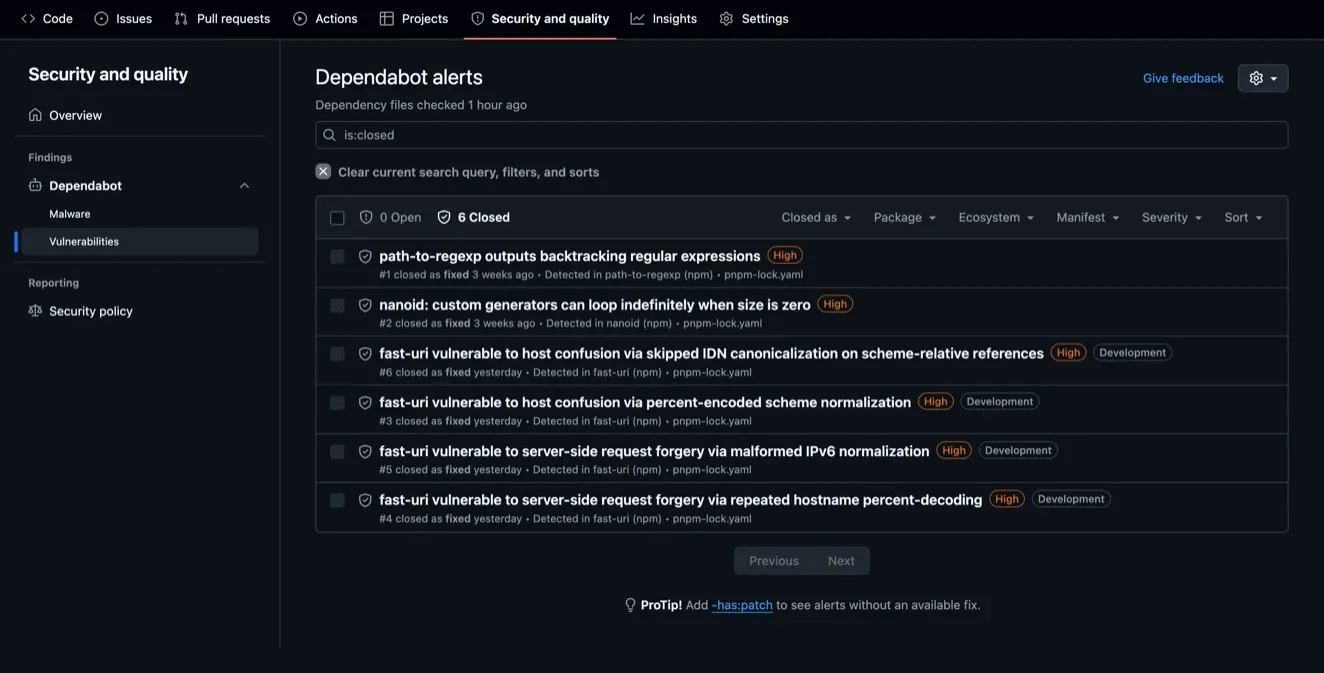
pnpm-lock.yaml.Why Dependabot never opened a pull request
INgh api repos/oharu121/<repo-name>/automated-security-fixesOUT{"enabled":true,"paused":false}This command confirms that the security feature was on. However, Dependabot had opened zero security pull requests. Actually this is not the first time that I faced such issues. The two previous transitive alerts, nanoid and path-to-regexp, had both been patched by hand.
The cause is pnpm, not transitiveness. dependabot-core#13177 is open: Dependabot errors out saying it does not support updating transitive dependencies for pnpm. Underneath it, pnpm#12744 records that pnpm update <dep>@<version> is a no-op on a transitive dependency, and that is the exact command Dependabot’s updater runs.
The fix the repository already had
Now we know that pnpm update wouldn’t fix the issue because pnpm update is a no-op on a transitive dependency. The fix that this repository previously adopted was override.
overrides: nanoid@<3.3.18: ^3.3.18 path-to-regexp@<6.3.0: ^6.3.0The overrides live in pnpm-workspace.yaml. Everything that matters here is on the left of the colon, and the two forms behave in opposite ways:
| Written as | What it matches | Lifetime |
|---|---|---|
nanoid@<3.3.18: ^3.3.18 | only a resolution below 3.3.18 | goes inert once the tree passes 3.3.18 |
nanoid: ^3.3.18 | every nanoid in the tree, forever | permanent |
The key is a selector, not a name. The range-keyed form applies only while something still resolves below the patched version and retires itself afterwards, whereas the bare name pins the dependency permanently, so the day a legitimate dependent needs nanoid 4.x it is forced back to 3.x and breaks.
First attempt: A scheduled routine on Claude cloud session
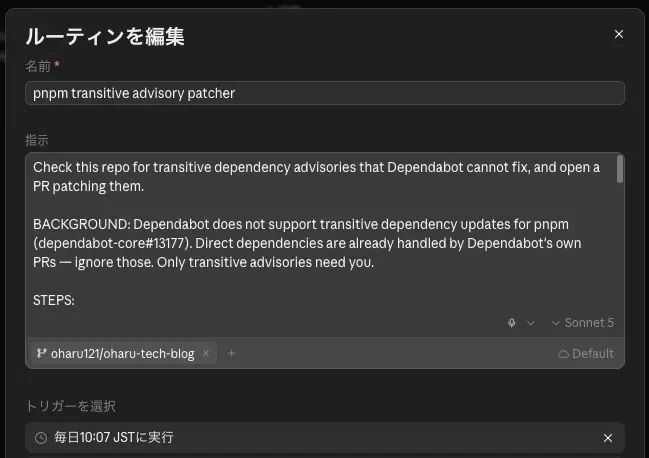
It worked. On its first run it opened a pull request with a correctly range-keyed override, a comment block matching the file’s existing style, and a body that transcribed the audit accurately. It took about fifteen minutes.
One thing nagged, though. It printed this on every install:
[WARN] Unsupported engine: wanted: {"node":">=24"} (current: {"node":"v22.22.2","pnpm":"11.3.0"})The cloud environment ran Node 22 against a repository that declares >=24. Its pnpm check and pnpm build were therefore green against a runtime the site does not ship on, which meant its own verification could not be trusted without CI re-running the same commands.
Then I asked the question that changed the design: do we really need AI involved, or can we make it completely mechanical?
| Step | Needs human judgement? |
|---|---|
Run pnpm audit --json | No |
Skip packages declared in package.json | No, a lookup |
Derive pkg@<X: ^X from the advisory | No, the version is a field in the JSON |
| Write the override, install, check, build | No |
| Write the pull request body | No, it was transcribed audit fields |
| Decide a runtime override needs route verification | Yes |
| Diagnose an override that will not resolve | Yes |
The two that need judgement are rare, and the design had already decided the agent was not allowed to act on either of them. So it was doing clerical work every day in order to be available for an exception it would have escalated anyway.
How the workflow runs
Every “No” row above became a step in advisory-patch.yml, and the two “Yes” rows became an escalation. Five steps, in order:
- Install dependencies, so the audit runs against the tree the repository actually resolves.
- Detect and apply.
advisory-patch.tsreadspnpm audit --json, skips anything declared inpackage.json, derivespkg@<X: ^Xfrom the advisory, writes it intopnpm-workspace.yaml, and installs. - Escalate anything needing judgement, as an issue rather than a pull request. These are the two “Yes” rows: a runtime-scoped advisory, and an override that will not resolve.
- Verify the patch. Audit again and confirm the override took.
- Open the pull request, with the body transcribed from the audit fields.
Steps 2 and 4 both call the same function, classify(), and that is where every mechanical decision actually happens. It runs each audited package through four gates in order, sorting it into one of three buckets: patch it, escalate it, or leave it alone.
When a single package carries four advisories, as fast-uri did, the override has to clear all four at once, so classify() takes the highest patched floor in the group rather than the first one it reads.
Step 4 is the only caller that changes the chain, and the overrides check is why. By the time step 4 runs, step 2 has already written this package into pnpm-workspace.yaml, so that check would drop the exact package step 4 is asking about, and step 4 would report a clean tree no matter what pnpm install resolved. Running the script as --verify turns off the overrides check and leaves the other three in place.
Why credential matters when running the workflow
A GitHub Action is undoubtedly better than Claude’s cloud session. It runs NODE_VERSION: "24", the same as CI, so its verification means what it says. It finishes in seconds. And the logic lives in a .ts file that pnpm check type-checks and anyone can run locally.
However, the challenge is that the workflow has to open the pull request that CI checks, and GitHub Actions will not let one workflow start another: a push made with GITHUB_TOKEN triggers no workflow run. The pull request still opens. What never happens is the run that would check it. GitHub does this because a workflow triggered by push that also makes a push would otherwise loop by triggering itself.
Dependabot is exempt from the recursion guard because it is a separate app identity rather than GITHUB_TOKEN, which is why its pull requests do get checks. This is the exact pattern we should follow.
The original try was a personal access token, but that introduced a few problems. A PAT borrows my identity, so author.login cannot tell the automation apart from me, and the auto-merge gate had to fall back to matching a branch name that anyone could type.
The final landing solution: GitHub App
A GitHub App solves that by having an identity of its own. Its installation token is minted per run and revoked when the job ends, and the merge gate becomes an authorship check again.
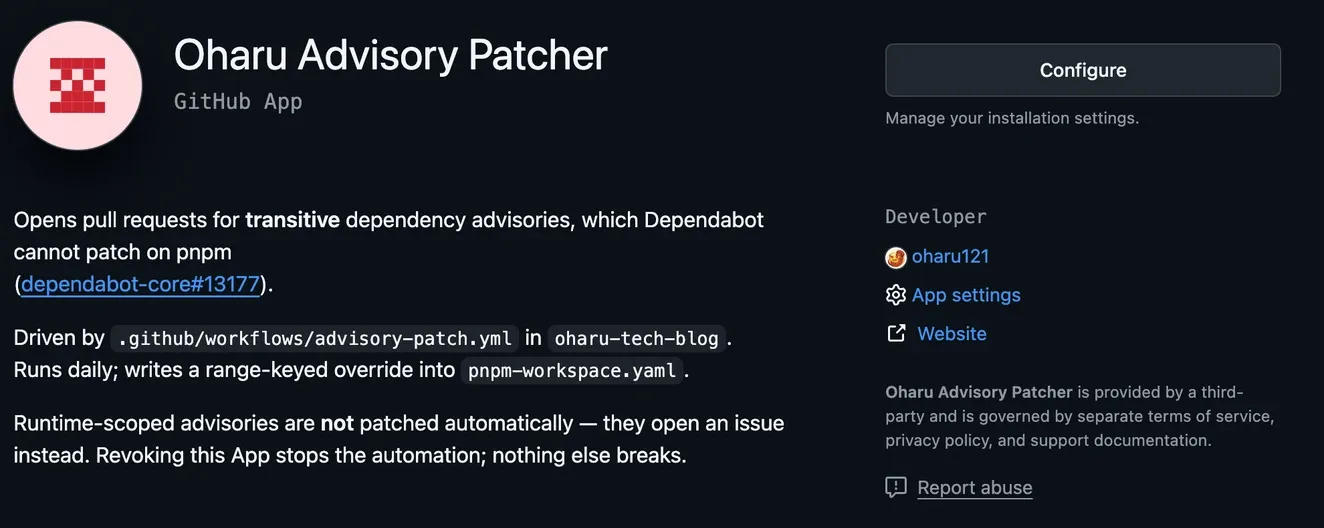
Setting one up is four steps, none of which a session can do for you:
- Register the App under Settings → Developer settings → GitHub Apps, granting it Contents, Pull requests and Issues write.
- Generate a private key, which downloads a
.pemfile you get exactly one copy of. - Install it on the repository. Registering and installing are separate acts, and an App that is registered but not installed fails at the first API call.
- Add two repository secrets: the App’s Client ID, and the whole
.pemincluding its header and footer lines.
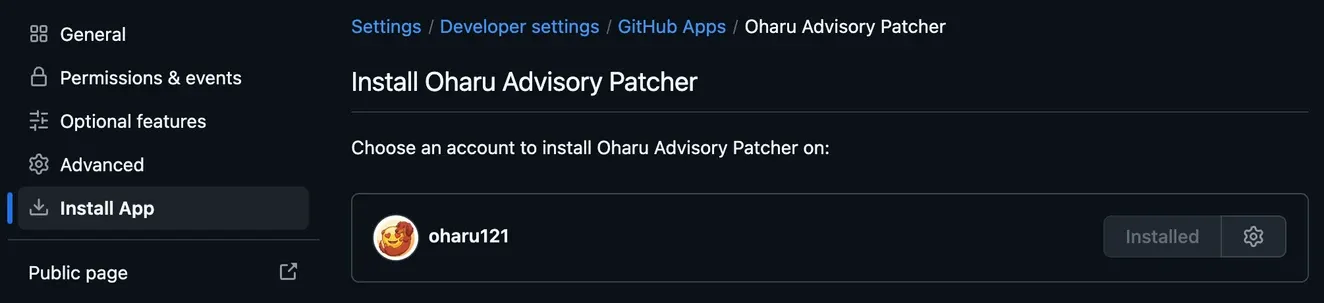
Those two secrets meet the workflow in one step, which mints the token everything else uses:
permissions:  contents: read
jobs:  patch:    runs-on: ubuntu-latest    steps:      - uses: actions/create-github-app-token@v3.2.0        id: app-token        with:          client-id: ${{ secrets.ADVISORY_APP_CLIENT_ID }}          private-key: ${{ secrets.ADVISORY_APP_PRIVATE_KEY }}          permission-contents: write          permission-pull-requests: write          permission-issues: write
      - uses: actions/checkout@v7        with:          token: ${{ steps.app-token.outputs.token }}
Three things in that snippet are easy to get wrong. It is client-id, not app-id, because v3 marks the older input deprecated. The workflow-level permissions stays at contents: read because the write scopes belong on the App token instead; putting them there would grant them to a GITHUB_TOKEN that no step here reaches for. And checkout has to be handed the token explicitly, because its default is GITHUB_TOKEN. Take that default and the eventual push triggers nothing, which is the failure this whole section exists to avoid.
What shipped
The workflow runs daily at 10:17 JST. On a quiet day it installs, audits, finds nothing and exits in about a minute.
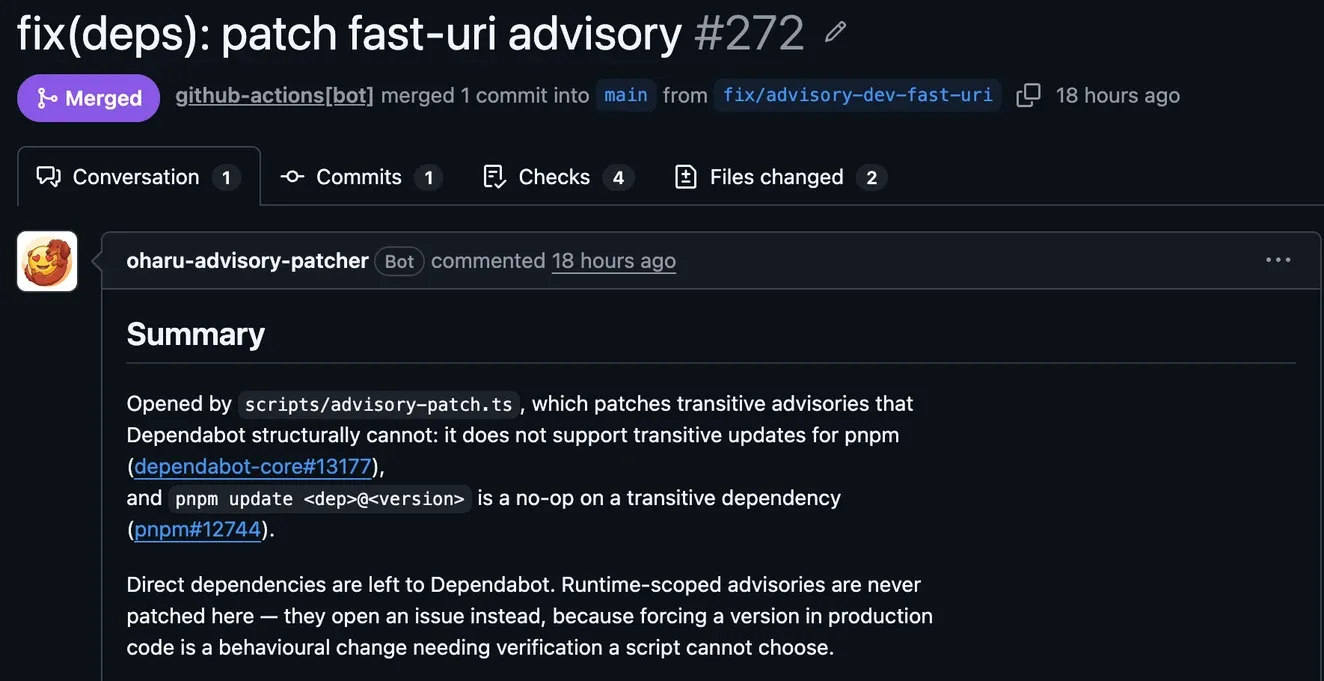
On 2026-09-05 it found the same fast-uri advisory this article opens with, wrote the override, verified on Node 24, and opened a pull request. Auto-merge admitted it and squashed it, with nobody touching the repository.
Summary
We have learned that Dependabot does not support transitive dependency updates for pnpm at all. That’s why Dependabot never opened a security pull request on my repo.
A push made with GITHUB_TOKEN triggers no workflow run. That’s why we need a different credential other than GITHUB_TOKEN to trigger the workflow.
For me the biggest takeaway is not the fix itself but the tool choice. We finally landed on a GitHub App, which is the best match for this scenario. This is my first time creating one, and it is something I would definitely want to dig into further.
References
- dependabot-core#13177, the open issue tracking pnpm transitive dependency support
- pnpm#12744, where
pnpm up dep@versionis confirmed not to work on transitive dependencies - dependabot-core#10534, pnpm v9 lockfiles silently ending Dependabot alert coverage
- pnpm’s
overridesdocumentation, including the range-keyed selector form - actions/create-github-app-token, where
app-idis deprecated in favour ofclient-id