An Astro service worker that keeps the pages you read offline — a 205KB shell and a 50-page cap
A service worker for an Astro blog that precaches 205KB of site-wide CSS and JS, keeps each article as it is read up to 50, and caches figure styles on demand.

On this page
Introduction
I go back to my own articles to look things up, and that often happens on a plane with no connection. I wanted to open an article I had already read, with the wifi off, and have it be there.
My first guess was to stash the text in localStorage, so I asked Claude Code whether that would work. It would not. Opening a URL offline sends the browser to the network, which is gone, so the reader gets the no-internet page. Text saved in localStorage only helps a page that has already loaded, and no page loads.
What works is a service worker that precaches a 205KB shell of site-wide CSS and JS, and keeps each article as it is read, up to 50. Once it is installed, a reader’s offline library builds itself from the pages they open, with no download beyond the shell.
My instinct was wrong: localStorage cannot answer a navigation
When the browser fetches a URL, it consults its HTTP cache and the network, and nothing else. No hook offers a page’s own stored strings as a candidate response, so text saved in localStorage is unreachable at the moment it is needed.
localStorage has three more limits as a page store:
- It holds about 5MB per origin, a few dozen of this site’s articles.
- It stores strings, so a document goes in with no headers, no status, and no content type.
- It is synchronous, so reading a large entry blocks the main thread.
The Cache API stores Request to Response pairs, headers and status included, which is the shape a navigation needs answering with. A service worker sits in front of the network, runs outside any page, and can hand one of those stored responses back:
// A service worker can answer a navigation. Nothing else in the browser can.self.addEventListener('fetch', (event) => { if (event.request.mode === 'navigate') { event.respondWith(handleNavigation(event)); }});Measuring the build: article HTML, the shell, and per-article styles
Article pages reach 317KB because figures are inline SVG
Precaching every page is the first idea, and measuring .vercel/output/static/ rules it out. The build is 73MB across 1,819 files:
| Bucket | Size | Files |
|---|---|---|
| Article HTML, three locales | 22.6 MB | 179 |
| Home, archive, tag, search and other HTML | 8.3 MB | 217 |
_astro/ images | 33.6 MB | 892 |
pagefind/ | 3.4 MB | 237 |
| Markdown twins | 3.0 MB | 179 |
CSS and JS in _astro/ | 0.39 MB | 94 |
| Feeds, sitemaps, icons, the webfont | 2.1 MB | 21 |
| Total | 73.4 MB | 1,819 |
The largest article page is 317KB of HTML. Figures on this site are inline SVG components so that their labels can be translated, which puts each diagram inside the document. Precaching every page would push 31MB of HTML at a phone that asked for one.
So the shell is precached, and every page is kept as it is read. Offline then means “everything I have already opened”, which is the plane case. Keeping a page costs no extra bytes, because the response had to be fetched to draw it anyway.
The shell holds what every page loads
The shell is 43 entries and 205KB: 20 stylesheets, 14 scripts, the webfont, five icons, and the three locales’ manifests. scripts/build-sw.ts writes that list into the worker at build time, because every CSS and JS filename carries a content hash that only exists once the build has run.
The script also prints the shell’s size on every build and flags it above a 500KB budget. Every reader downloads the shell on their first visit, so the shell’s size, 205KB today, is the up-front cost of the design.
A glob over _astro/*.css precaches every article’s figure styles
Each figure component carries its own scoped CSS, and Astro emits it as a separate file under _astro/. The site sets inlineStylesheets: 'never' so that a Content Security Policy of style-src 'self' covers every stylesheet; the CSP article has the reasoning.
A shell built from every CSS and JS file under _astro/ therefore precaches the figure styles of every article on the site. The budget line fired once one article gained three figures:
INnode scripts/build-sw.tsOUTsw.js: version 93b802612533, 103 shell entries (503.1KB), 3 offline pages shell is 503.1KB, over the 500.0KB budget in scripts/build-sw.ts. Every reader downloads this on their first visit — check what got included.Styles that only one article’s figures use made up 60 of the 94 chunks and 299KB. A chunk’s name cannot pick them out, because Astro names a CSS chunk after the first component in it: Pipeline.*.css is a figure in two different articles.
So the script reads every built HTML file and records which pages link each chunk. What a page links is the reliable signal.
| Chunk | Linked from | In the shell |
|---|---|---|
BaseLayout.*.css, 29KB | Every page | Yes |
ArticleLayout.*.css, 10KB | Every article | Yes |
pagefind-ime-guard.*.js | No page; the search scripts import it | Yes |
IndexNowKey.*.css, 7.3KB | One article, in all three locales | No |
VanishingGradientTwoAxes.*.css, 52KB | One article, in all three locales | No |
A chunk is left out of the shell only when one article uses it and no other page does. IndexNowKey.*.css is loaded only by the IndexNow article, so it is left out. BaseLayout.*.css is loaded by every page, so it stays.
Some chunks appear in no page’s HTML, because a script requests them instead of the page. pagefind-ime-guard.*.js is one: the search script imports it on every page. The HTML scan cannot see who uses such a chunk, so it stays in the shell; without it, the search script fails to start offline.
for (const page of files.filter((path) => path.endsWith(".html"))) {  const html = await readFile(join(OUT_DIR, page), "utf8");  const segments = page.split("/");  if (LOCALES.includes(segments[0])) segments.shift();  const owner =    segments.length === 3 && segments[0] === "blog" && segments[2] === "index.html"      ? `blog/${segments[1]}`      : "site";
  for (const [asset] of html.matchAll(/\/_astro\/[^"'\s)]+\.(?:css|js)/g)) {    const set = owners.get(asset) ?? new Set();    set.add(owner);    owners.set(asset, set);  }}// A chunk whose only owner is one `blog/<slug>` is left to runtime caching.
The same build afterwards:
INnode scripts/build-sw.tsOUTsw.js: version 4d9dcd1871d4, 43 shell entries (204.5KB), 3 offline pages 60 per-article chunks (298.6KB) left to runtime cachingThe shell is 205KB, and a new article’s figures add nothing to it. Google’s Workbox, a library for building service workers, gives the same advice: precache what every page needs, and cache route-specific chunks at runtime.
Data Saver skips the shell where the browser reports it
I had asked whether readers would resent a site quietly downloading things. At 205KB a consent dialog costs more attention than the download it protects, so there is no prompt. A reader with Data Saver on still gets the worker and keeps what they read, and the page never asks it to fetch the shell.
The check is navigator.connection?.saveData, and it only takes effect in Chromium-based browsers. MDN marks the Network Information API limited availability, and Safari and Firefox do not implement saveData.
There the page cannot tell whether Data Saver is on: the check returns undefined without an error, the code reads that as off, and the 205KB shell downloads even for a reader who wanted to save data.
Five caches: shell, pages, images, assets, and offline pages
I asked three questions about growth: whether to cache only the locale a reader is in, whether entries should expire, and whether there should be a cap. The answers were yes, no, and yes.
Only the reader’s own home page is precached
The worker precaches the home page of the locale being read, and no other. Stylesheets and scripts are shared across all three languages, so a home page is the only thing a second language would add, and a reader who never opens Japanese has no use for the Japanese one.
Caps instead of an expiry date
The Cache API has no expiry, and the worker does not fake one. A TTL would need a parallel table of timestamps kept only to guess at staleness, and a wall clock evicts pages a reader deliberately kept. A deploy already says what changed: it mints a new worker version, and the shell is reconciled against it.
Articles revalidate in the background on every visit. Listing pages ask the network first, which a follow-up article explains.
Caps bound growth instead, sized from the measured averages: article HTML runs 129KB, an _astro image 39KB, and a per-article style chunk 5KB.
| Cache | Holds | Cap | Ceiling |
|---|---|---|---|
oharu-pages | Article HTML, as you read it | 50 | ~6.3 MB |
oharu-images | Figures, as the page draws them | 200 | ~7.7 MB |
oharu-assets | Styles only one article uses | 150 | ~0.8 MB |
oharu-shell | Site-wide CSS and JS, font, icons, manifests | 120 | ~0.6 MB |
oharu-offline | The three offline pages | Never trimmed | ~100 KB |
Eviction is FIFO over insertion order, the only ordering the Cache API exposes. True LRU (least recently used: evict whatever has gone unopened longest) needs an IndexedDB side table to track access, and for a blog read roughly forward in time the two behave the same.
Per-article styles get a cache of their own
An article’s figure styles go into oharu-assets when the article loads them, so an article opened once online still renders its figures offline. The worker routes on the precache list:
if (SHELL_ASSET.test(url.pathname)) { event.respondWith( SHELL_PATHS.has(url.pathname) ? cacheFirst(request, SHELL_CACHE, SHELL_CAP) : cacheFirst(request, ASSET_CACHE, ASSET_CAP), ); return;}The two caches fill differently. Every deploy appends the shell’s new hashes, while a figure chunk is written once, on first read. Sharing one FIFO cap would let a run of deploys evict an article’s figure styles while the article itself was still held in oharu-pages.
A cap of 150 is three per held page. An article loads about one such chunk, so a chunk ages out only after about 150 distinct ones have been read, which is more than the site has.
The offline pages are never trimmed
The offline pages sit in their own cache because they are written first, and a FIFO trim deletes from the front. In the shell they would be the first entries evicted, and the fallback would disappear the longer someone used the site.
The offline page’s language comes from the URL alone. /ja/… and /zh-tw/… say so outright, and an unprefixed path is English, because the English pages sit at the root of src/pages/.
function offlineLocaleFor(url) { const prefix = url.pathname.split('/')[1]; return LOCALES.includes(prefix) ? prefix : DEFAULT_LOCALE;}navigator.language stays unread. Many readers here hold ja-JP while deliberately reading English, and answering an English link with a Japanese notice would override their choice. The offline page carries the full site header, so the language picker is one tap away when the URL’s language is not the one wanted.
Three traps in testing it: DevTools offline mode, a 3xx navigation, and icon bytes
DevTools offline mode leaves the service worker online
Network.emulateNetworkConditions applies only to the target it is set on, and a service worker is a separate DevTools target from the page it serves. With Chrome DevTools set to Network: Offline, an article never visited still renders, which a cache-what-you-read design cannot do. One line in the page shows why:
try { await fetch('/robots.txt', { cache: 'no-store' }); }catch (e) { console.log('THREW: ' + e.message); } // THREW: Failed to fetchThe page has no network. The worker still does, so it fetches each page live and hands it back.
Network.emulateNetworkConditions is applied per target, and the worker is a separate target from the page it serves.navigator.onLine also stays true under that emulation, which hides the other signal. Taking the server away makes the test real:
lsof -ti:4321 | xargs killAgainst a dead origin, a visited article rendered in full, with its stylesheet and the images it had fetched. An unvisited URL produced the offline page in the right language, with status 503 and the requested URL still in the address bar.
A navigation’s 3xx arrives as an opaqueredirect
A navigation Request carries redirect mode manual, so a 3xx comes back as an opaqueredirect: type is 'opaqueredirect', status is 0, ok is false, and redirected is false. A check on response.redirected is never true, so the code inside it never runs.
An opaqueredirect is a sealed response: it tells the worker the server answered with a redirect and hides the rest, including where it points. Handed back unchanged, it lets the browser follow the redirect itself.
redirected is false on an opaqueredirect, so the guard testing it never ran and the response fell into a constructor that rejects status 0.// `redirected` is false on an opaqueredirect, so this never runs.if (response.redirected) return Response.redirect(response.url, 302);
if (response.ok) { /* … */ }
return offlineResponse(url, response.status); // status === 0offlineResponse then calls new Response(body, { status: 0 }), and the Response constructor accepts only 200 through 599. It throws RangeError, the rejection escapes respondWith, and the reader gets the browser’s error page for a URL that loads fine with no worker installed. Against a local server that answers 301, the result was net::ERR_FAILED.
if (response.type === 'opaqueredirect' || response.status === 0) return response;Handing the opaqueredirect back lets the browser follow the hop itself, and the same URL loads. Production does not hit this path today: on 2026-10-04, /ja, /privacy and a slashless article URL all answered 200 with no redirect. The guard covers the first redirect rule the site adds.
sharp.composite() output differs between macOS and Linux
The build generates the home-screen icons from public/favicon.svg, and a --check mode guards against them drifting from their source. A check that compares PNG bytes passes on macOS and fails in CI:
PWA icons are stale: public/pwa-icon-512-maskable.png — differs from 20575 bytes public/apple-touch-icon.png — differs from 6395 bytesLocally those two files are 20,596 and 6,399 bytes. The two icons that differ are the two that go through sharp.composite(); the two rasterised straight from the SVG match to the byte. libvips composites and encodes differently on macOS arm64 and Linux x64, so a byte comparison fails forever on artwork that is fine.
The check exists to catch an edited favicon that nobody regenerated, which is an input changing. So it compares inputs: a hash of the SVG, a hash of the icon spec, and the dimensions read back off each file.
{ "source": "public/favicon.svg", "sourceHash": "64655d5b744ddbff", "specHash": "ebf2f5ba3712cce2"}Dimensions come from the files rather than the lock, so a truncated or hand-replaced PNG is still caught. Tampering with sourceHash makes the check exit 1, and regenerating makes it exit 0.
Checking it in production: an iPhone offline, the sw.js header, and Safari’s seven days
An iPhone in airplane mode
With the phone in airplane mode, a URL that was never cached shows the offline page:
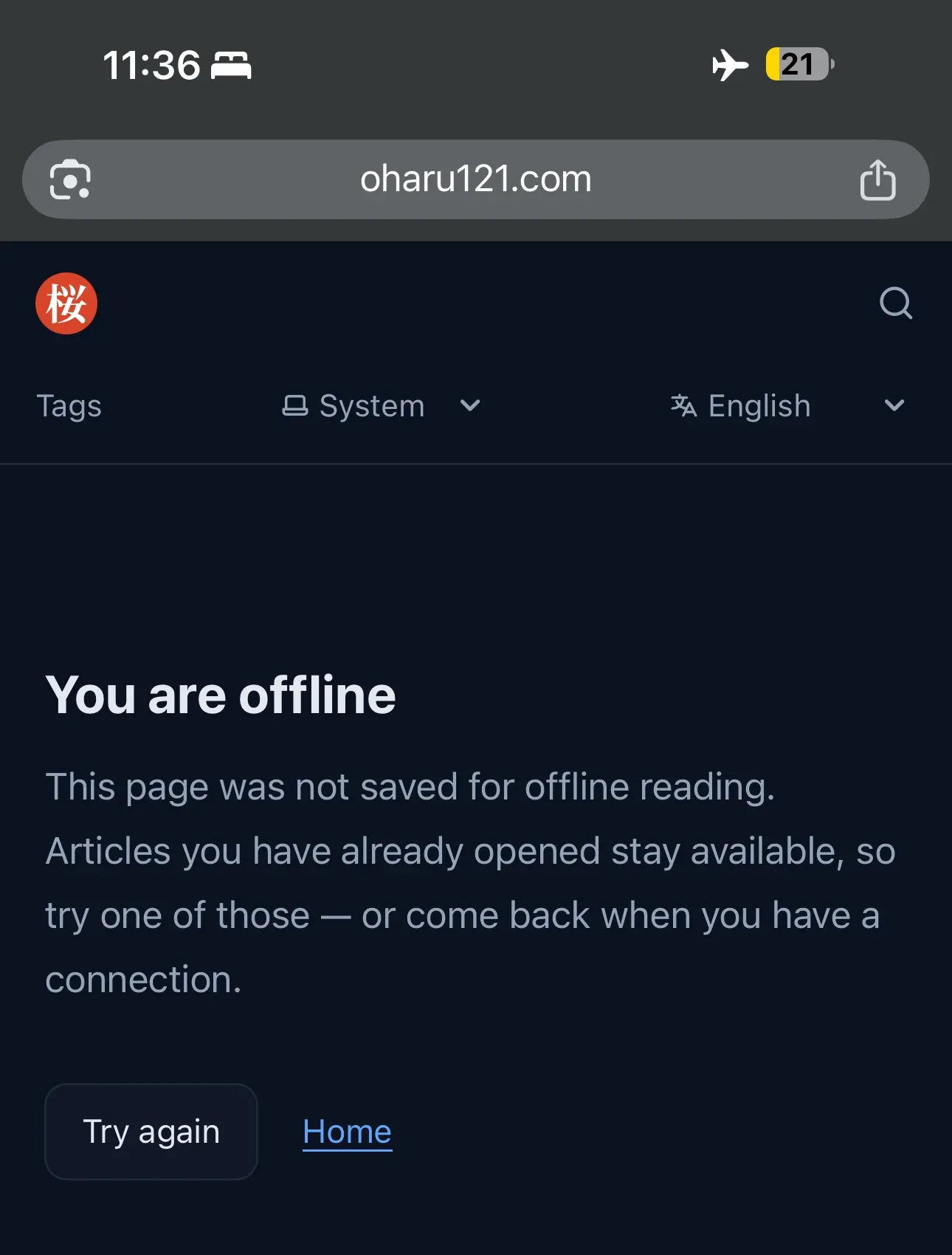
The page picks between two wordings with navigator.onLine, and DevTools emulation leaves that true, so the offline wording never appears on the desktop. A real radio switched off exercises that branch, and the page chose correctly.
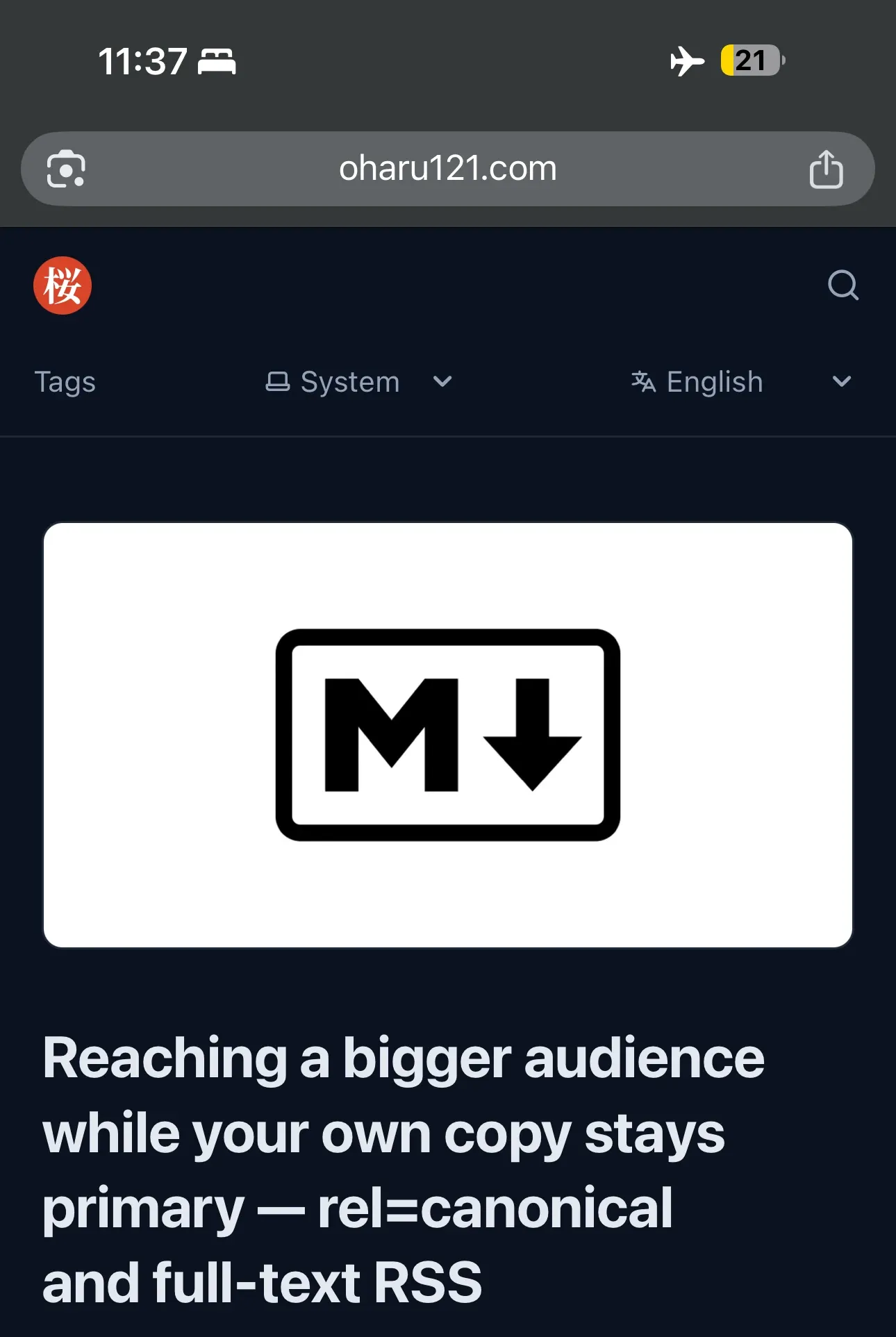
An article I had read earlier opened with no radio. The header, the language picker and the footer came from the shell, and the article and its thumbnail came from the two runtime caches.
Those two screenshots are Safari with its address bar visible, so they prove offline reading in a tab and nothing about an installed app. The site went onto a home screen next:

The Add to Home Screen sheet offered oharu, the manifest’s short_name. The app launches with no address bar, so display: standalone is read, and installed from the English root it opens the English home page through start_url.
vercel.json headers reach production under —prebuilt
The Vercel adapter writes its own .vercel/output/config.json, and CI deploys with --prebuilt, so a headers block in vercel.json might not survive the deploy. The production response settles it:
INcurl -sSI https://oharu121.com/sw.js | grep -i cache-controlOUTcache-control: public, max-age=0, must-revalidateThat header exists only in vercel.json, so the two merge, and no post-processing step is needed.
Not yet verified: seven days on the home screen
Safari deletes a site’s script-writable storage, the Cache API included, after seven days of Safari use with no interaction on the site. WebKit exempts home-screen web apps, which count their own days of use instead.
Whether an installed copy keeps its cache through a week left unopened is untested. So is whether navigator.storage.persist() is granted there, and so is the saveData branch, which has no honest way to emulate.
Summary
Measuring the build decided the design. The site’s HTML is 31MB because translatable figures live inside the document, so the worker precaches a 205KB shell and keeps pages as they are read, up to 50.
The shell holds only what every page loads. Styles that one article’s figures use go into oharu-assets when that article is opened, kept apart from the shell so deploys cannot evict them. Telling the two apart takes the built HTML, because a chunk’s name says nothing about which pages link it.
Three checks gave the wrong answer. DevTools offline mode left the worker online, a redirect guard read a field that is always false on a navigation, and an icon check compared bytes that two machines never agree on. The fixes test the server’s absence, the response type, and the icons’ inputs.
I opened an article I had read earlier on a phone in airplane mode, and it was there.
References
- Using Service Workers, including the fetch event and the Cache API
- Workbox: precaching dos and don’ts, on precaching only what every page needs
- Storage quotas and eviction criteria, including the 5 MiB localStorage limit
- Response() constructor, whose status must be in the range 200 to 599
- Response.type, listing opaqueredirect and what it means for a navigation
- WebKit: Full Third-Party Cookie Blocking and More, the seven-day cap and the home-screen exception
- WebKit: Updates to Storage Policy
- StorageManager.persist(), which prompts in some browsers
- NetworkInformation.saveData, marked limited availability rather than Baseline