Trend Micro rated this blog a Disease Vector — reclassifying the URL fixed it
Trend Micro's Site Safety Center rated this blog's service worker a Disease Vector. Cross-checking five other services and reclassifying the exact URL fixed it.

On this page
Introduction
I run Trend Micro myself, so when this blog’s own listing turned up greyed out in search results (a plain question mark instead of the usual safety badge), it caught my eye.
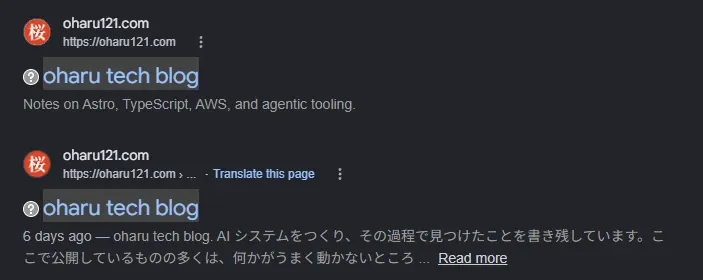
I wanted the green checkmark instead, so I submitted the domain to Trend Micro’s Site Safety Center for reclassification. The result came back worse than before: a Dangerous rating, categorized as a Disease Vector.
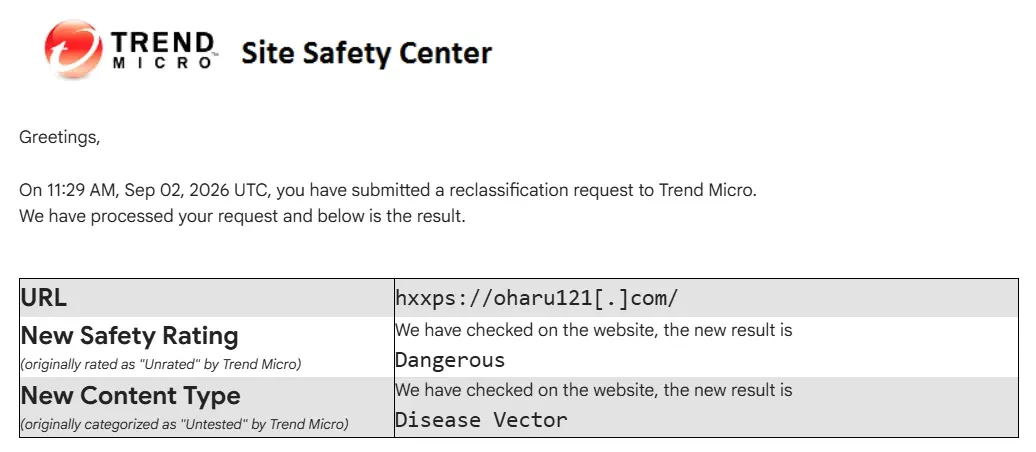
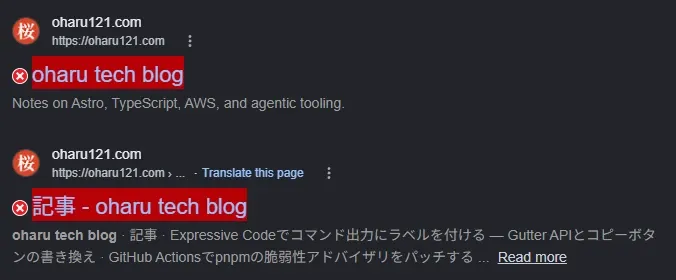
This article is the investigation that followed, and the one change that turned it into a Safe rating instead.
A test run: 0 of 91 vendors called it malicious
Before going further, I wanted to know whether the site was actually
compromised. I ran https://oharu121.com/ through VirusTotal, which checks a
URL against 91 separate security vendors in one pass. Every vendor came back
clean: 0 of 91 flagged anything.
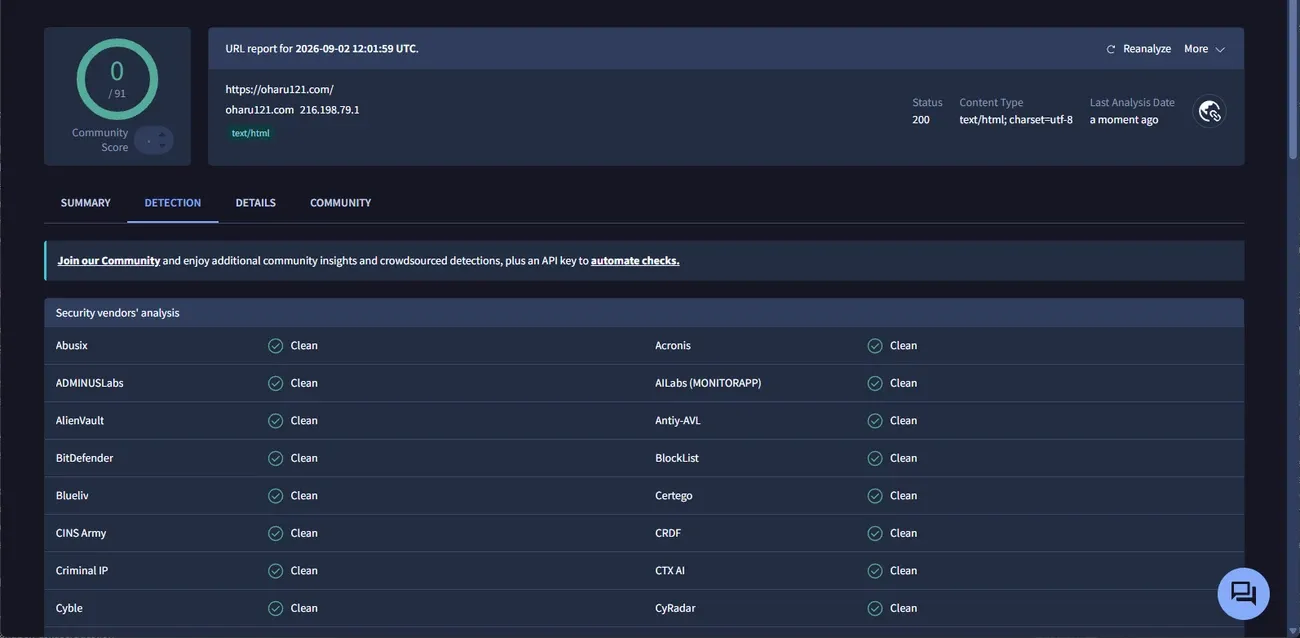
That answered one question and raised a sharper one: why only Trend Micro disagreed with everyone else.
Checking with every other classifier: Google, Trellix, McAfee, and Microsoft
VirusTotal’s 91 vendors are malware-scanning engines. They are not the same thing as the reputation and category databases that put a badge next to a search result, the ones Trend Micro’s Site Safety Center belongs to. Those run on separate infrastructure with their own review process, so I checked each one individually.
Google Safe Browsing
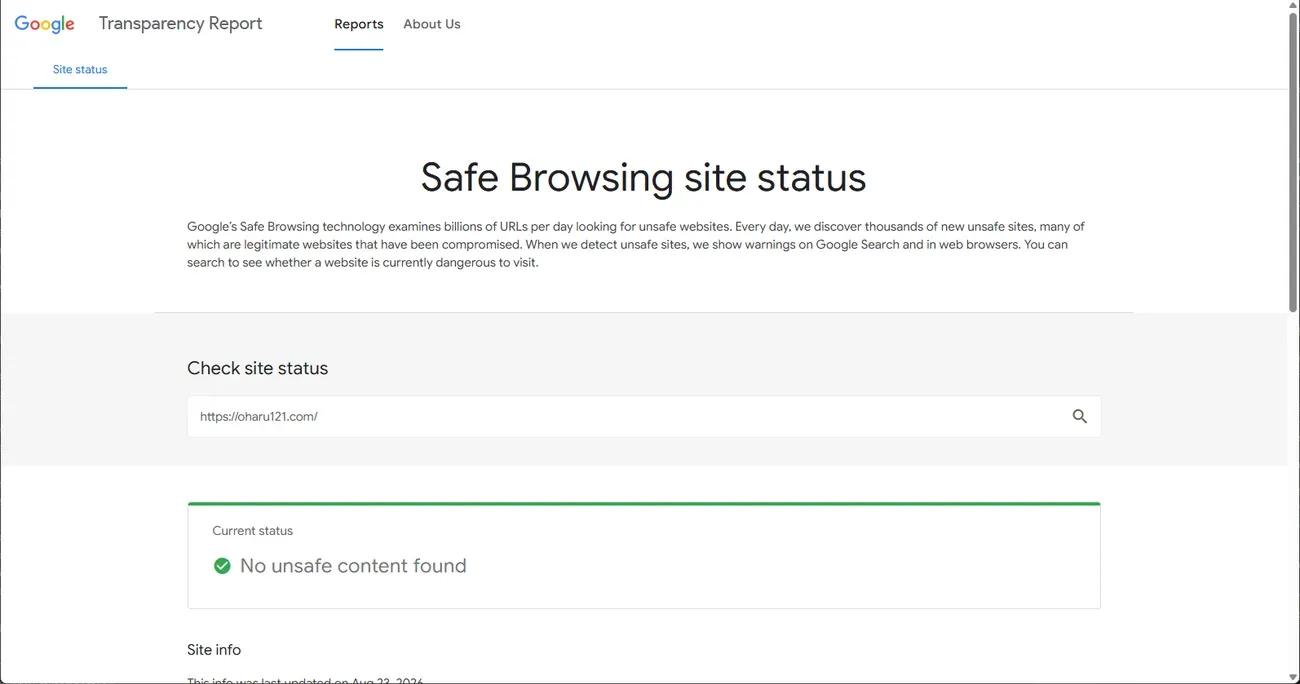
Google Safe Browsing governs the warning page shown in Chrome, Firefox, and Safari, which makes it the one that matters most for actual visitors. Both Search Console’s Security Issues report and the public Transparency Report agreed: no issues detected, no unsafe content found.
Trellix and McAfee’s split databases
McAfee’s web-reputation database used to be one thing. In 2024 the enterprise side became Trellix and stopped sharing data with the consumer McAfee brand, so checking one no longer tells you what the other says.
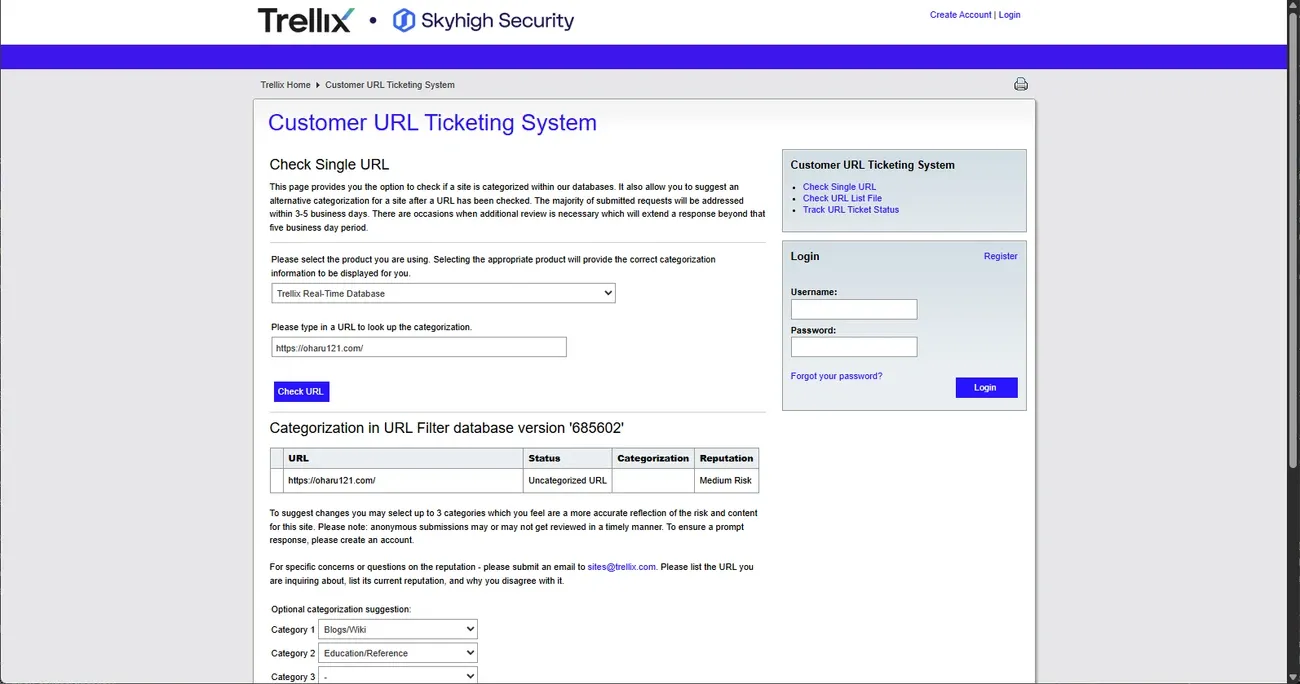
Trellix’s TrustedSource marked the domain “Uncategorized URL” at “Medium Risk”. McAfee’s own Site Lookup, a separate database since the split, called it “Uncategorized” with an “Unverified” trust level. Neither called the domain dangerous, and neither had any data on it at all.
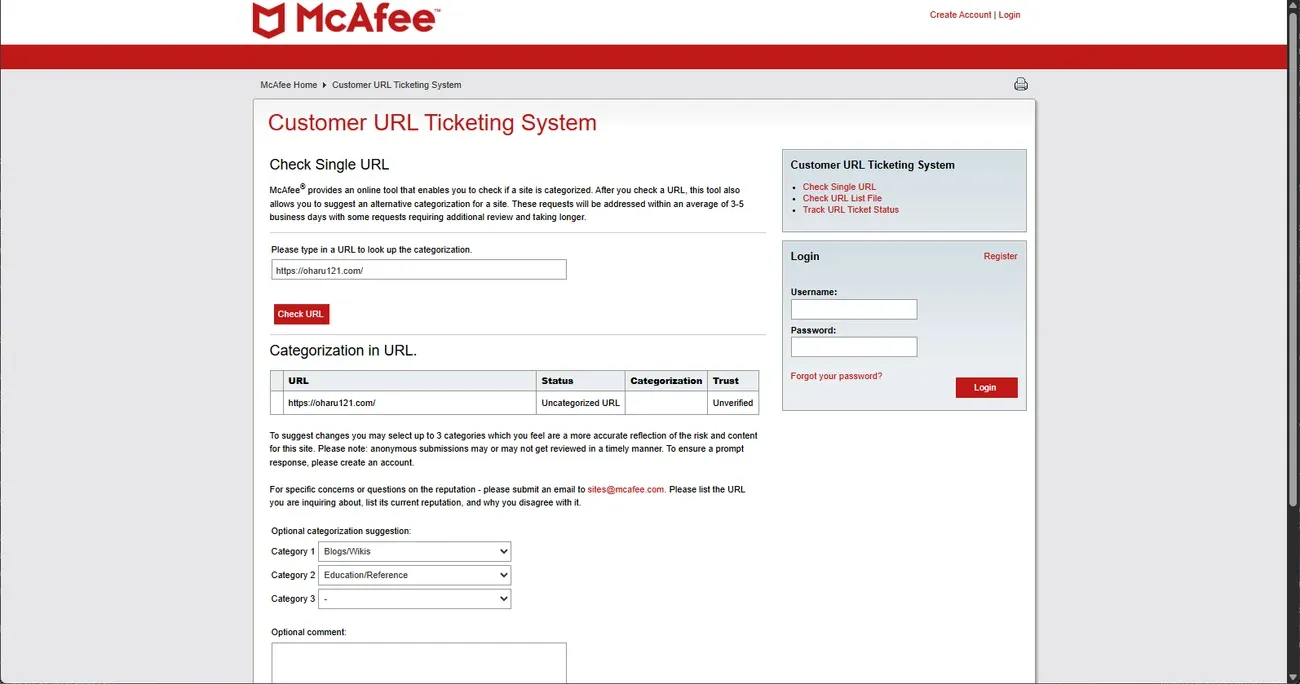
Microsoft SmartScreen: no proactive path
Microsoft’s file-submission portal looked like the right place at first, but
wdsi/filesubmission is built for executable malware analysis, not URLs — a
wrong turn worth naming, since it is the page the obvious search returns.
The site-reporting form turned out to be a dispute mechanism tied to a warning a user has already seen, with no way to petition Microsoft to certify an unflagged site as trustworthy.
SmartScreen’s own reputation builds passively instead, from domain age, certificate validity, and crawl history, which meant there was nothing to dispute and nothing to submit either.
What a service worker looks like to an automated scanner
None of the other checks explained why Trend Micro specifically flagged the site, so the next place to look was the code behind the offline-reading feature: the service worker and its registration script.
The fetch handler filters to same-origin requests before doing anything else:
if (url.origin !== self.location.origin) return;Nothing in it calls out to a third-party server, injects a script, or runs
eval. It caches the site’s own pages and assets, and nothing else. But the
registration script also asks for persistent storage, so the offline cache
survives Safari’s seven-day idle eviction:
if (!storage?.persist) return;if (await storage.persisted?.()) return;storage.persist().catch(() => {});Register a service worker, ask for persistent storage, and offer an install prompt, and the code looks identical whether it is a PWA caching articles for offline reading or a scam page built to survive after the tab closes.
The block that named sw.js directly
The theory got a direct confirmation a few weeks later: my own installed Trend Micro product blocked a navigation on my own machine. The block log named the exact resource:
| Field | Value |
|---|---|
| URL | https://oharu121.com/sw.js |
| Threat type | 不正プログラム配信 (malware distribution) |
| Scan type | Webレピュテーションの評価 (Web Reputation evaluation) |
| Action | ブロック (blocked) |
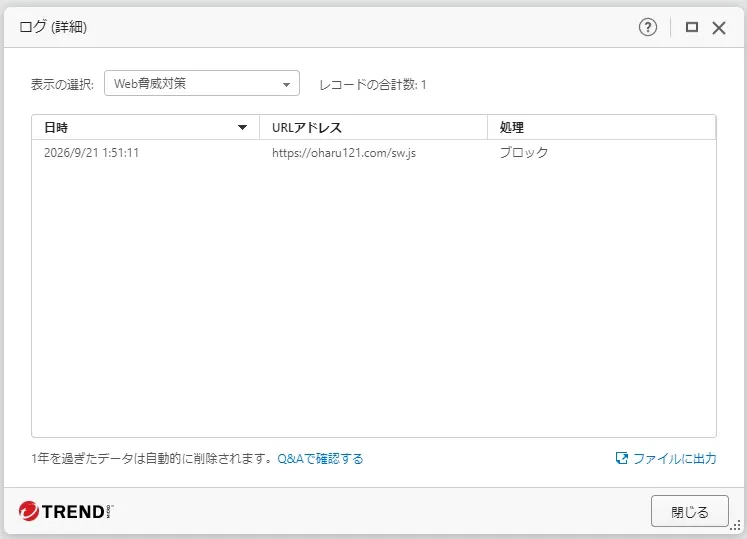
That was the first check to name a specific file rather than the domain as a whole. My first reclassification request, submitted against the root domain, had never touched this file’s own entry in Trend Micro’s database at all.
Reclassifying the file, not the domain
I submitted a second reclassification request, this time against
https://oharu121.com/sw.js directly, with the VirusTotal result and a plain
description of what the file does in the comment field.
| Request | Target | Result |
|---|---|---|
| First, Sep 2 | https://oharu121.com/ | Dangerous, Disease Vector |
| Second, Sep 3 | https://oharu121.com/sw.js | Safe, Computers/Internet;Noteworthy |
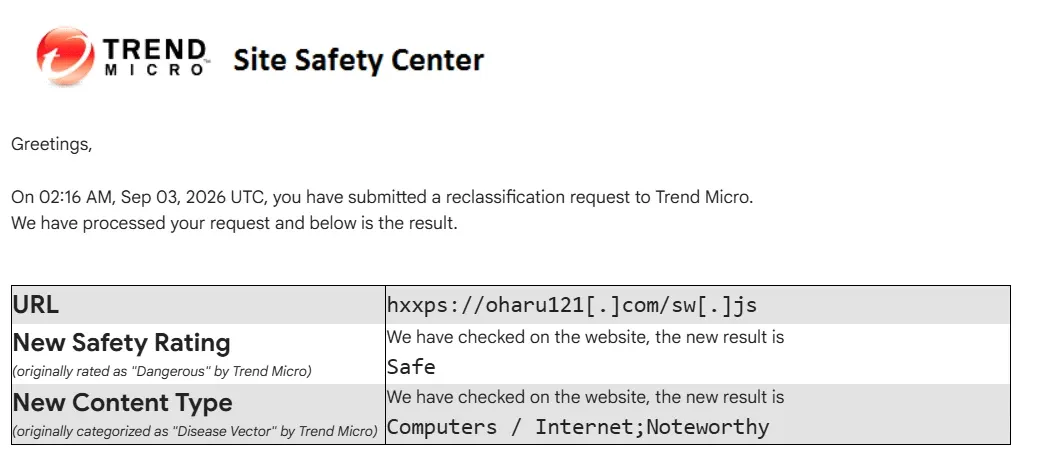
Targeting the exact flagged resource, not the domain, was what changed the result.
Summary
A false “malware distribution” rating on a PWA’s service worker traced back to a pattern-matching problem, not a real infection: registering a service worker, requesting persistent storage, and offering an install prompt looks identical to a scanner whether the intent is offline reading or scam persistence.
Cross-checking against every other reputation service confirmed the flag was Trend Micro-specific rather than a real compromise. And the fix was narrower than the first attempt: reclassify the exact file a scanner names, not the domain it lives on.